AI Fitness Assessment System
Most fitness apps start with a quiz. Zing needed a more reliable baseline: how the user moves, how conditioned they are, how flexible they are, and how their body changes over time. We connected Fitness Test, Flexibility Test, and Body Scan into one assessment layer that could adapt the plan and make progress easier to understand.
- Role
- Product Design Lead
- Timeline
- 2024 — Now
- Contribution
- Assessment UX, Computer Vision, Personalization
Tests feel like extra work
Assessments can easily feel like extra work. If users do not understand why a test matters, they skip it. If the camera misses a movement, they lose trust. If the result is just a score, it feels random. If nothing changes after the test, the assessment feels disconnected.
The design problem was not "How do we design a test screen?" It was "How do we make assessments worth completing?"
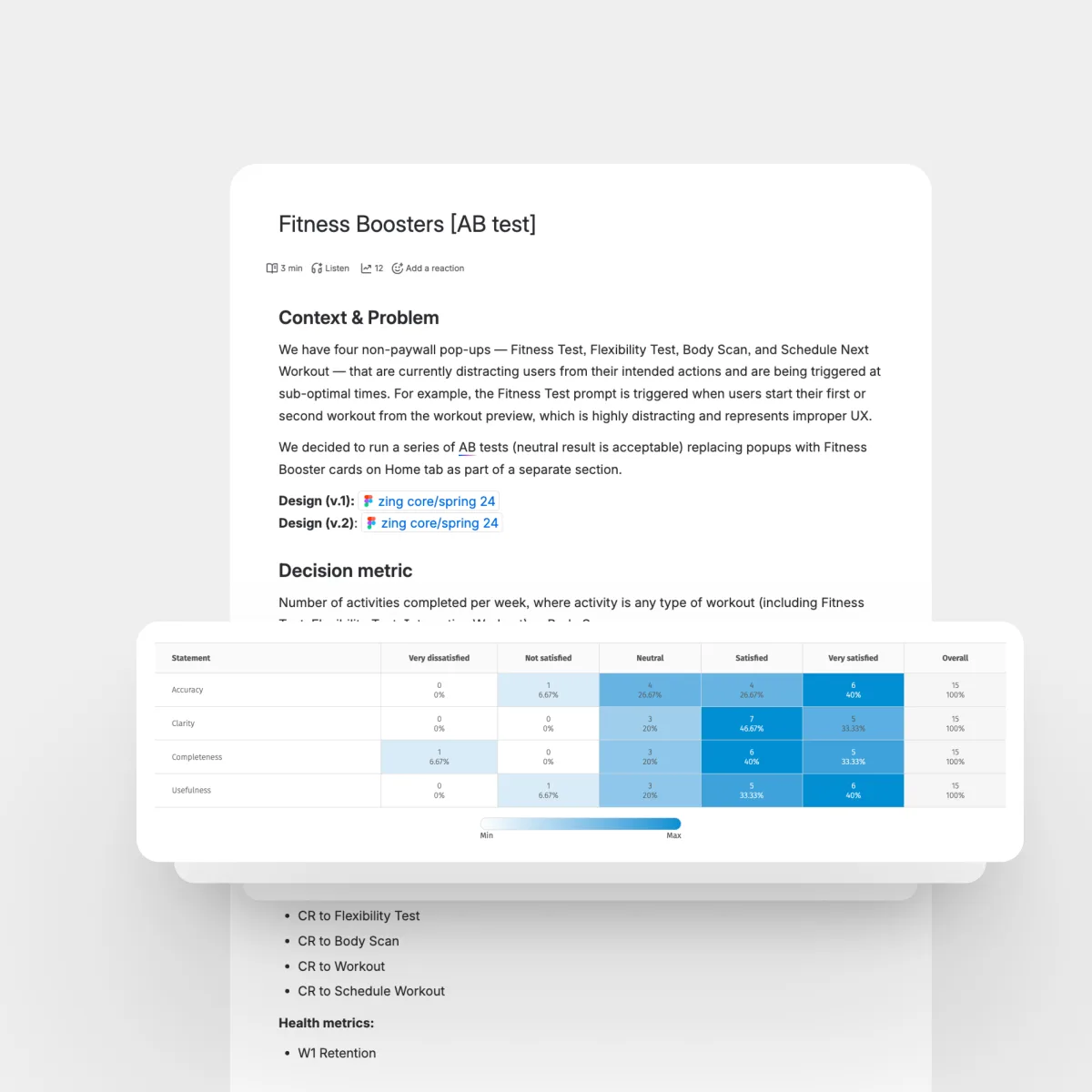
Each assessment had to answer four questions: why now, what is measured, can I trust it, and what changes next? A test becomes useful when it starts a loop: measure, explain, adapt, train, and measure again.
Measure before adapting
Most fitness apps start with a questionnaire. It is easy to complete, but easy to get wrong. A user can call themselves beginner, intermediate, or advanced. But those labels do not show how they move, where they are limited, or how their body is changing.
For Zing, this mattered because the plan depended on the starting point. If the baseline was wrong, the plan could feel too easy, too hard, or too generic.
So the assessment system shifted the product from asking "What is your fitness level?" to measuring where the user was starting from. Onboarding answers gave Zing a first version of the plan, but they could not show what the user could actually handle, where movement was limited, or what was changing over time. Fitness Test, Flexibility Test, and Body Scan added those missing signals.
Assessments feed coaching
The broader direction was AI Fitness Lab: a product layer that measures the user over time through fitness tests, flexibility checks, body scans, computer vision, and biometric inputs. Every measurement earned its place by improving the coaching.
The assessment system had four jobs: create a reliable baseline, personalize the plan, explain progress, and give AI Coach concrete signals.
Start with value
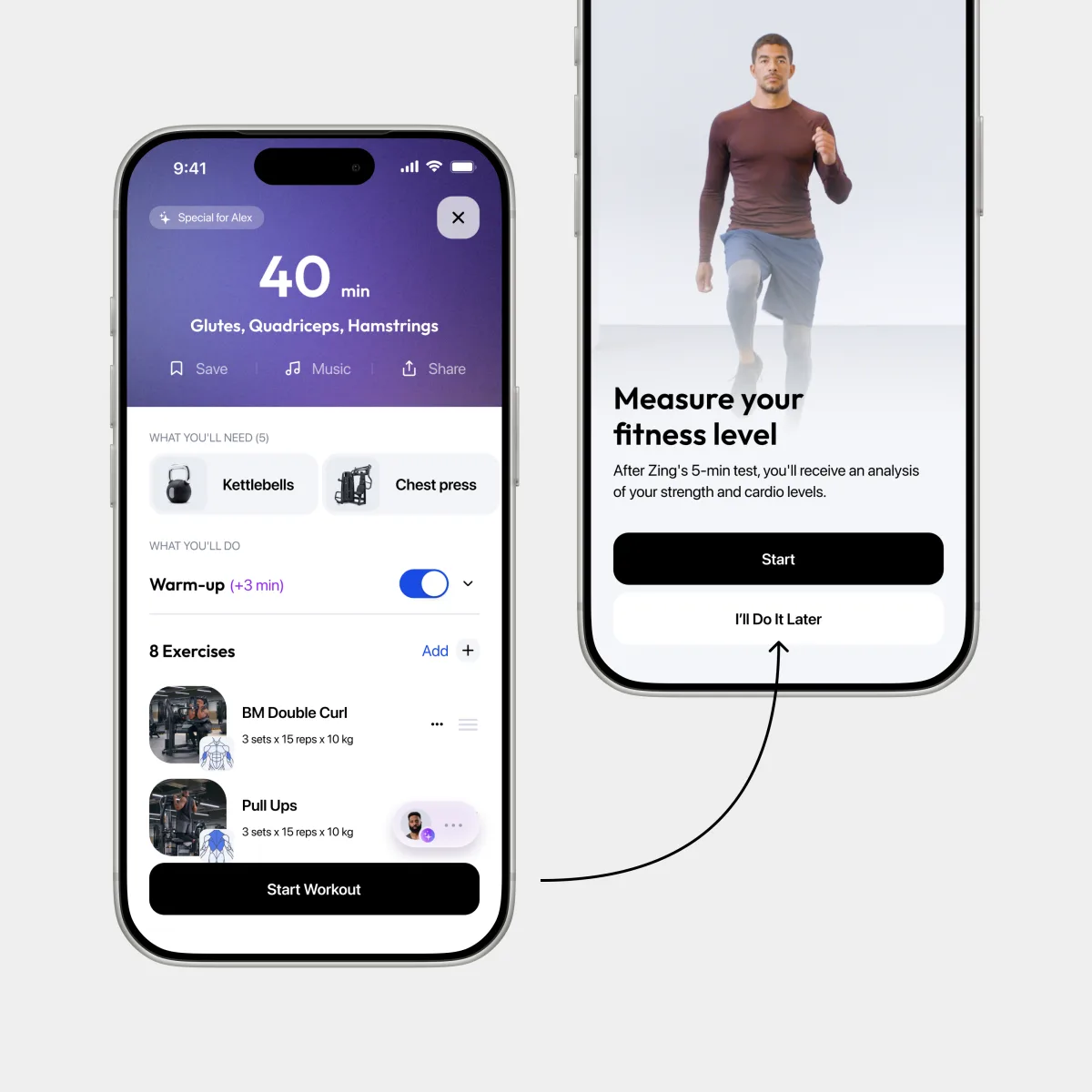
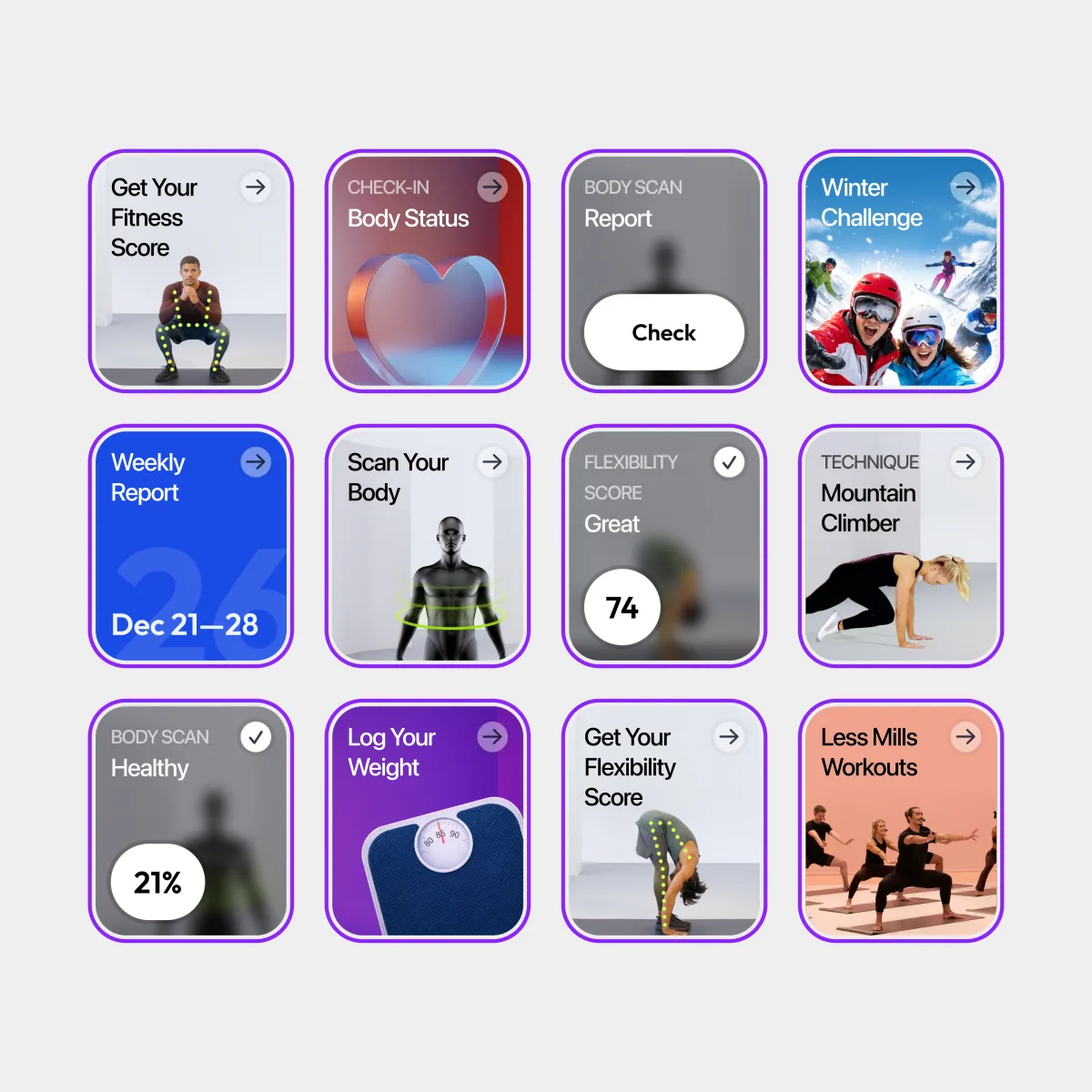
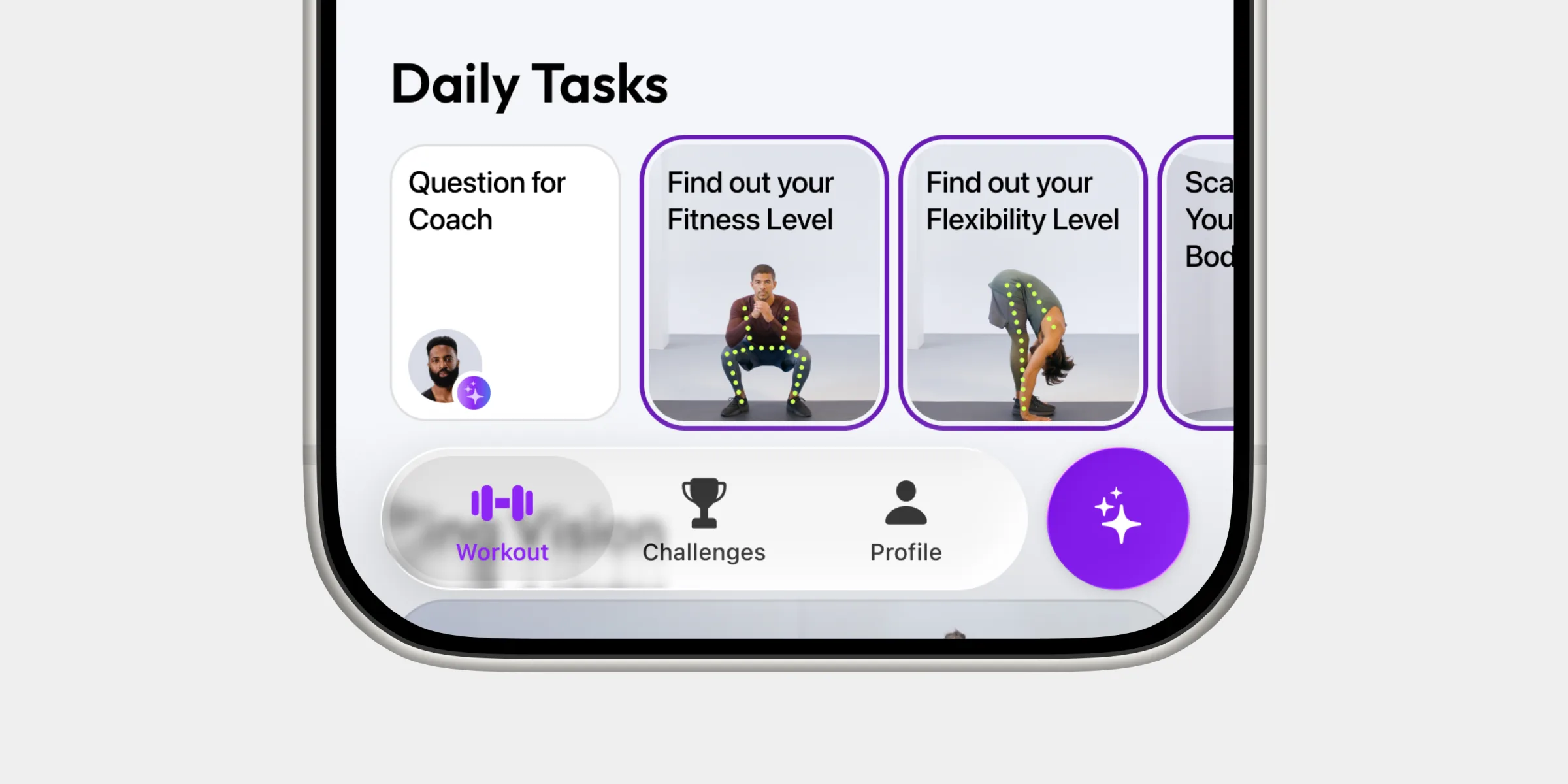
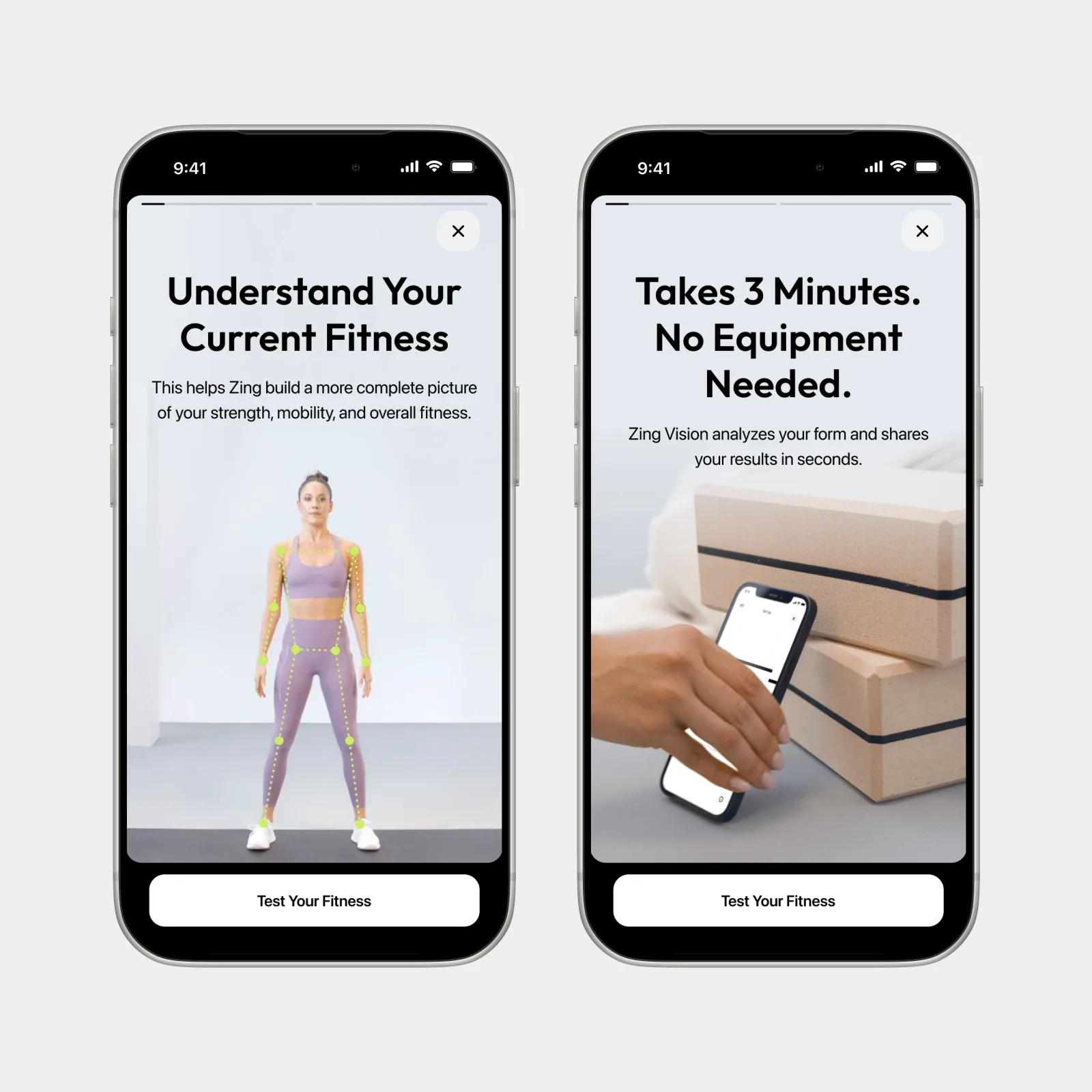
The first barrier is commitment. Users need to know what they are about to do, how long it takes, and why it is worth it. Each entry card had to make a clear trade: a few minutes, camera access, or body data in exchange for a better starting point, safer plan, or clearer progress.
Make setup safe
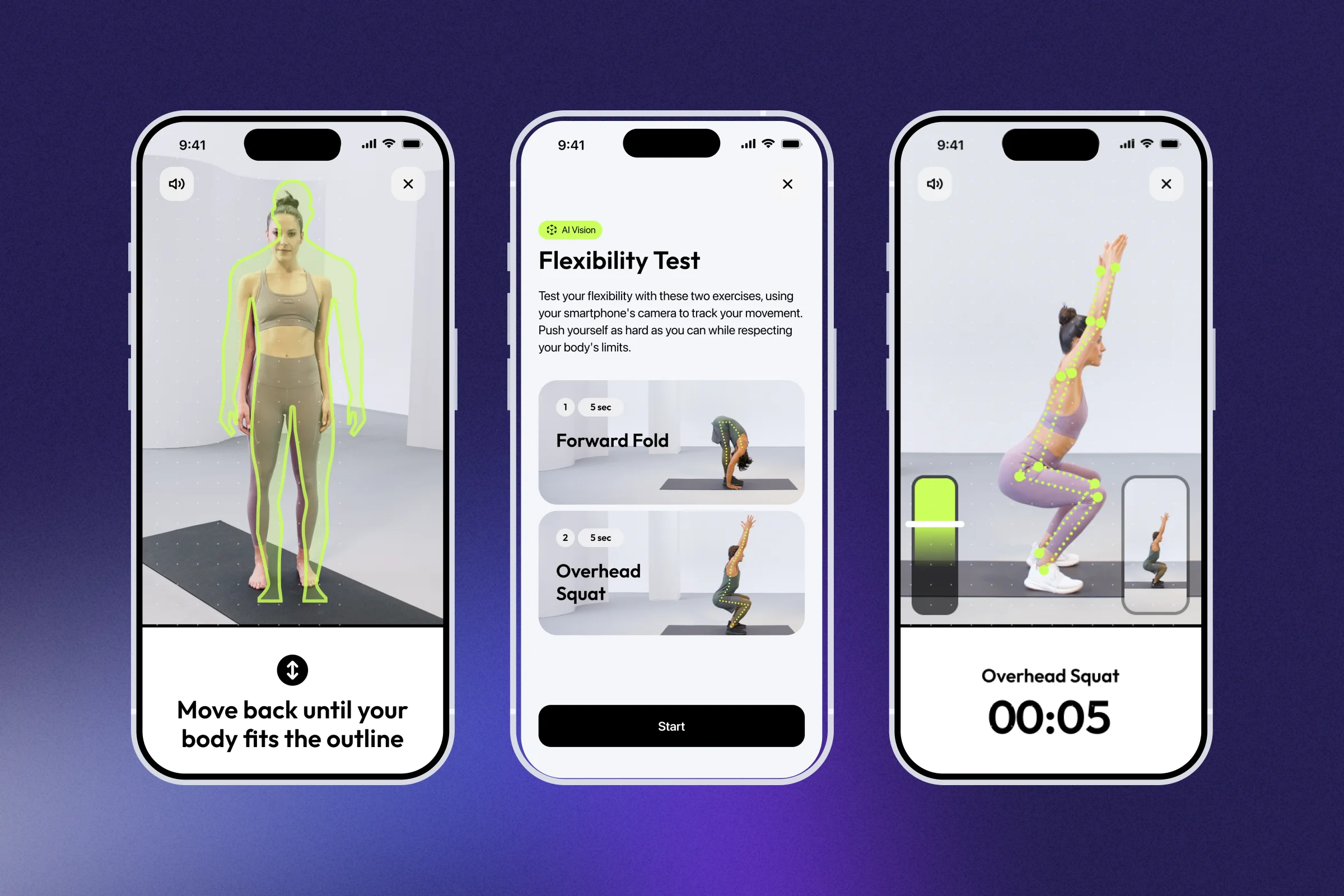
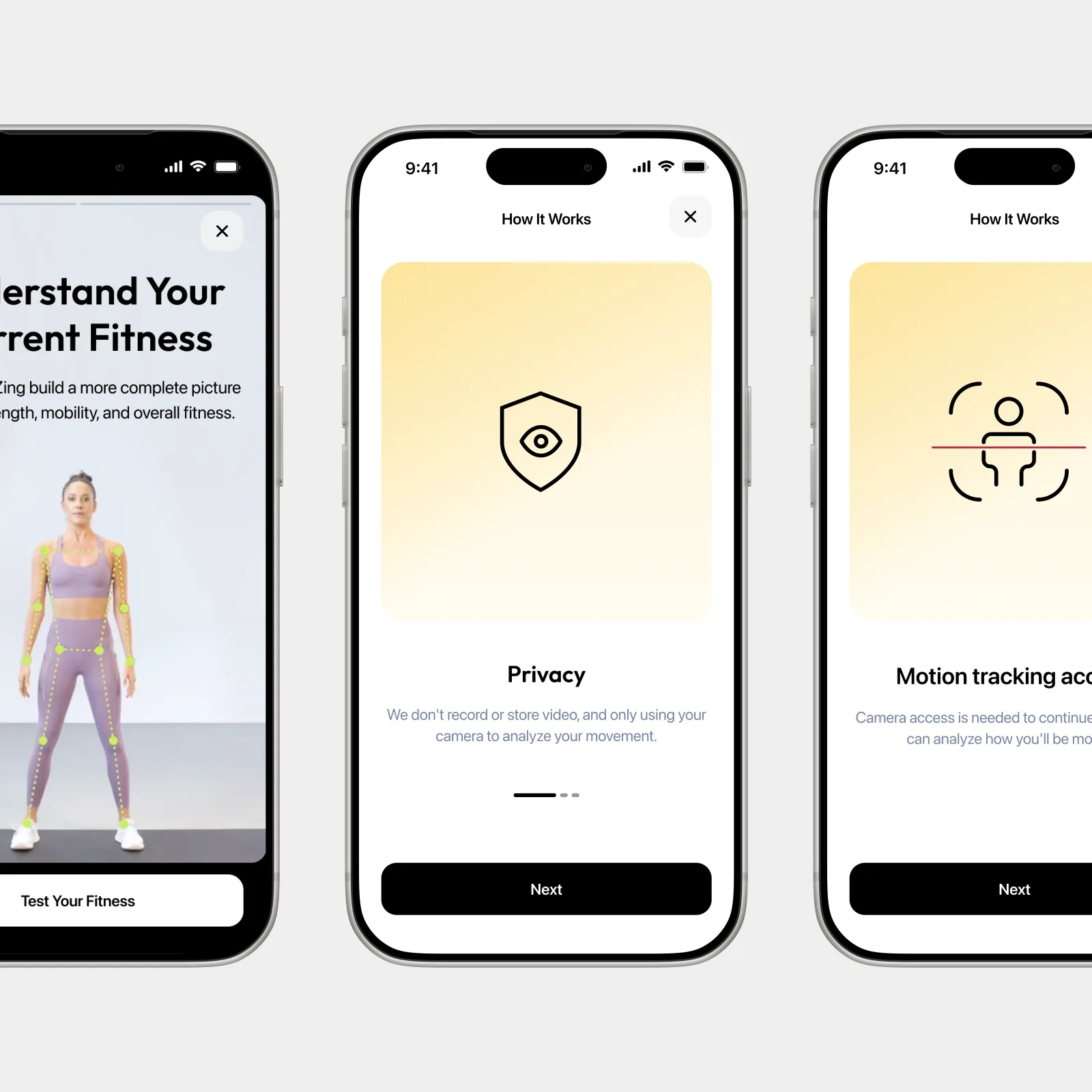
Fitness Test and Flexibility Test depend on camera quality, distance, and body position. If setup is unclear, users can fail before the test starts. The setup flow had to explain camera access, phone placement, required space, body framing, missing permissions, and retry states.
Guide movement
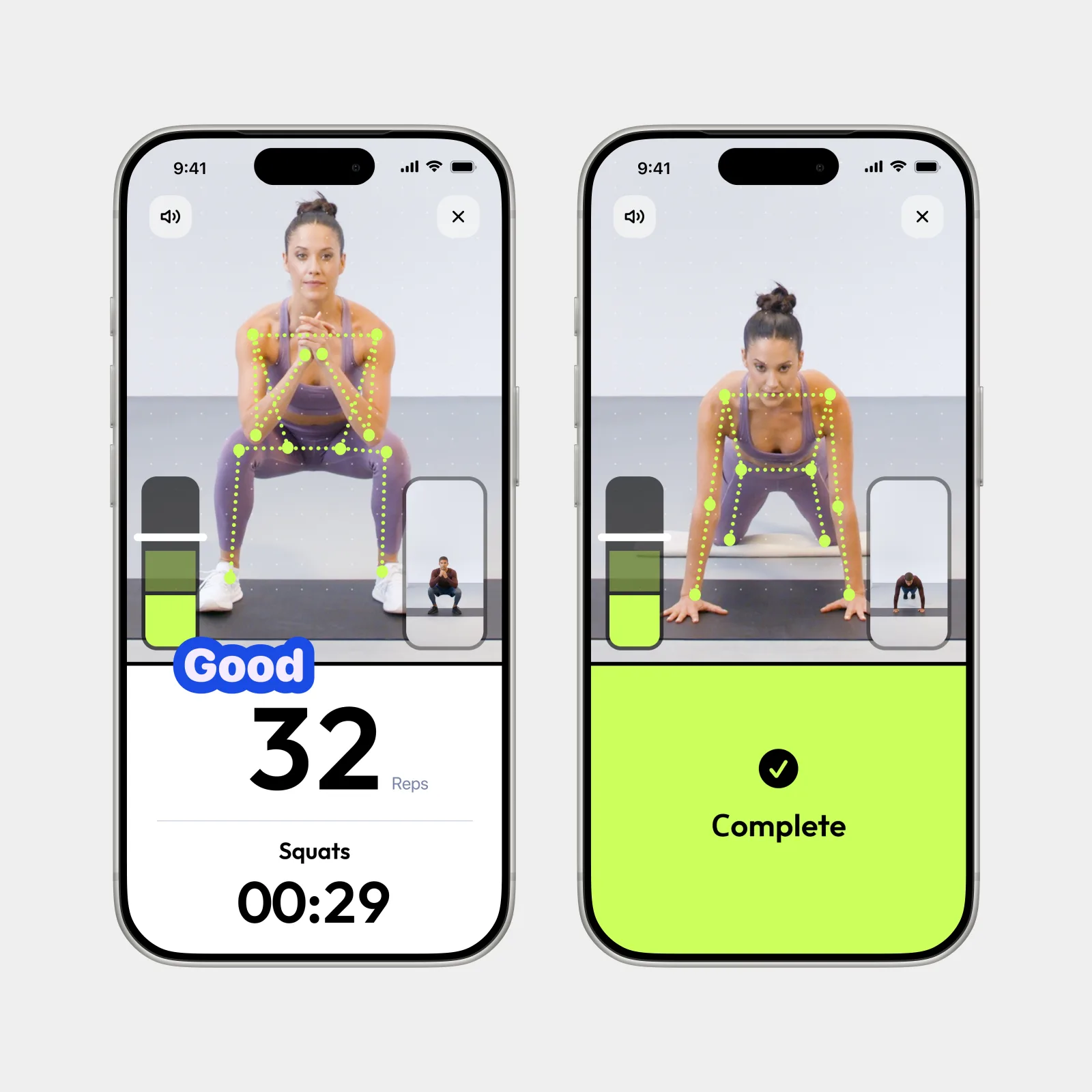
During a test, users are moving. They cannot read long instructions, so the interface has to be glanceable. Fitness Test needed exercise name, timer, rep count, movement detection, form cues, and progress. Flexibility Test needed target position, body alignment, measurement state, and a clear signal when enough data was captured. Each screen showed just enough to keep the user confident.
Sound carried what the screen could not. Voice cues announced each phase, rep, and correction, so eyes stayed on the body instead of the phone. Music set the pace and made the test feel less clinical.
Explain results
A score is useful only if the user understands what it means. Fitness Test explained strength, endurance, or muscle-group level. Flexibility Test showed tight or limited areas. Body Scan explained body composition changes and separated meaningful change from normal fluctuation.
We used one result structure: overall result, area breakdown, plain-language explanation, plan changes, next focus, and retest or rescan.
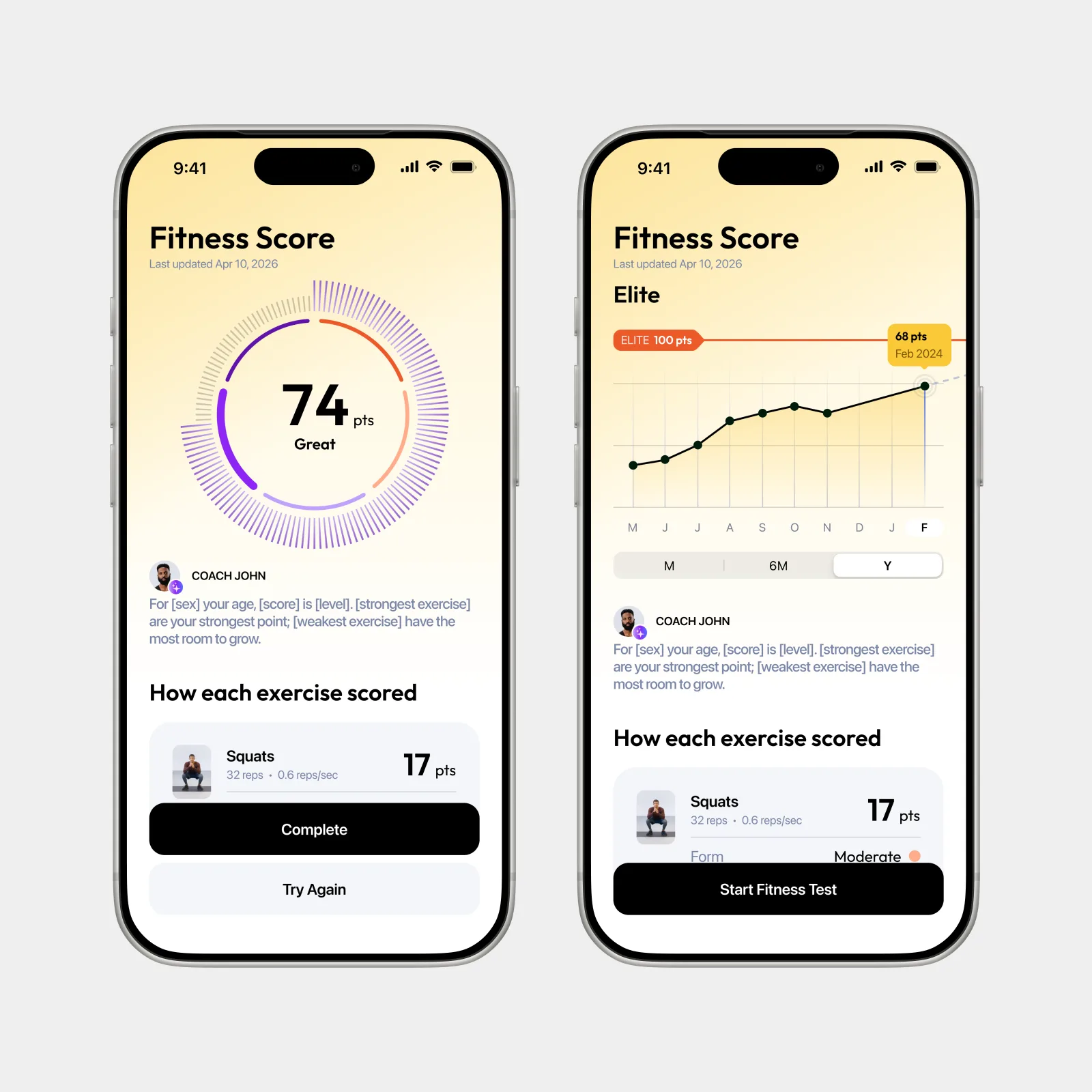
One system, not three tests
An assessment becomes meaningful when the plan responds. Fitness Test sets fitness and muscle-group level. Flexibility Test sets flexibility level. Body Scan feeds the progress signal. Together, they inform the plan, AI Coach explanations, and the progress loop. Without that connection, the assessment is just a report.
Body Scan explains changes that weight alone can hide: fat down, muscle up, weight flat. Flexibility Test adds the safety layer. If mobility is limited, the product should know before pushing harder exercises or stretches.
Measured personalization
The assessment system moved Zing from self-reported to measured personalization. Real baselines — movement, conditioning, flexibility, body composition — grounded the plan, made progress visible, and let AI Coach explain itself. "Answer a quiz and get a plan" became "measure your baseline, adapt your plan, prove progress."
+18%
90-day retention after one assessment
58%
Plan recommendations accepted
What I learned about trust
The hardest part was making measurement feel useful, fair, and worth the effort. A Fitness Test can count movement. A Flexibility Test can measure range. A Body Scan can show body composition. But measurement alone does not create trust. Users need to know what was measured, why it matters, and what changes next.